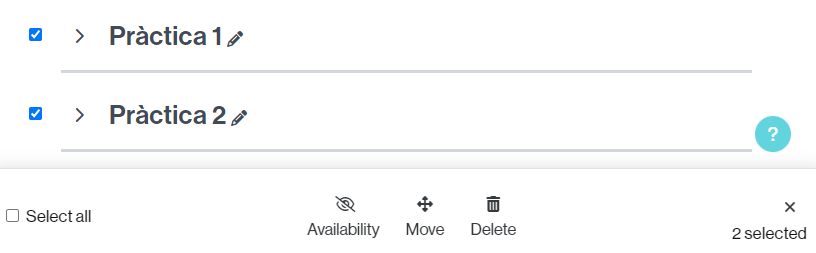
If you need to hide, move, or delete one or more sections at a time, you can do so.
For it:
- Turn editing on.
- Click the Bulk actions button.

- Select the sections on which you need to perform the same action (or all of them by selecting the Select all option).
- Below the page, select the action you need to perform:
- Hide/show them (Availability).
- Move them as a group (Move).
- Delete them in the blog (Delete).
To deselect, click the “x” icon (at the bottom right of the page).