Do you need to delete, duplicate, hide or move a set of classroom activities and/or resources at the same time?
Can do it,
- Turning edition on.
- By clicking the Bulk actions button.

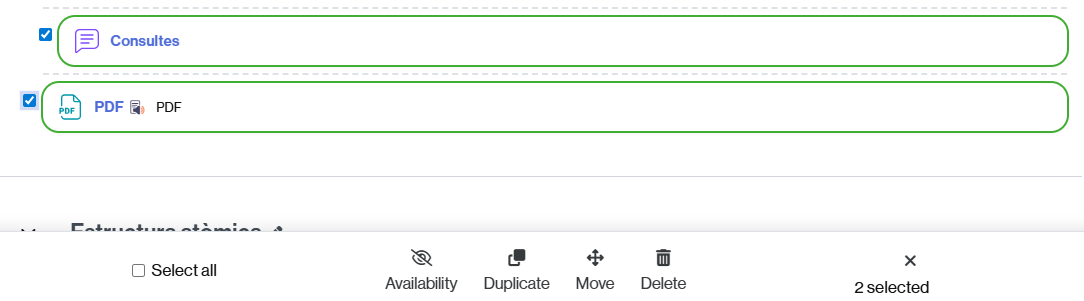
- Select the activities and/or resources to which you want to apply the same action (if you want to select them all, select the Select all option).
- Choose the action to apply:
- Hide or make visible the selected content (Availability).
- Duplicate them (Duplicate).
- Reorganize them, moving them to another point in the section or to another section (Move).
- Delete them in bulk (Delete).
To deselect click on the “x” icon.
IMPORTANT. If you need to hide, move or delete all the contents of a section, you also have an alternative: see the entry How to apply the same action on a set of classroom sections
If you need to duplicate a section, you can do so editing section settings, from the classroom.