In the Logs section you will find more detailed information about access to an activity by those who have access to the classroom: who created and/or deleted it, if anyone modified it, or, in the case of students, information regarding the submission of the activity. Classroom Logs can be accessed from the Reports tab on the main course page.
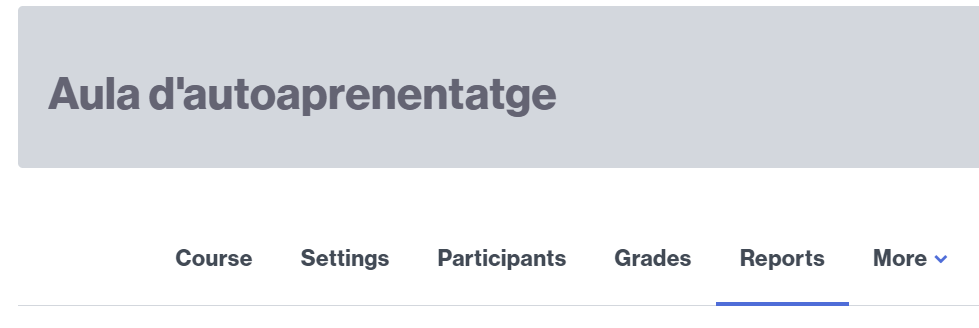
Once you click on the Logs link, you will find a set of filters that will allow you to narrow your search according to:
- the group you want to obtain information from (or all groups),
- a person with access to the classroom,
- a specific day,
- a specific activity,
- and more.
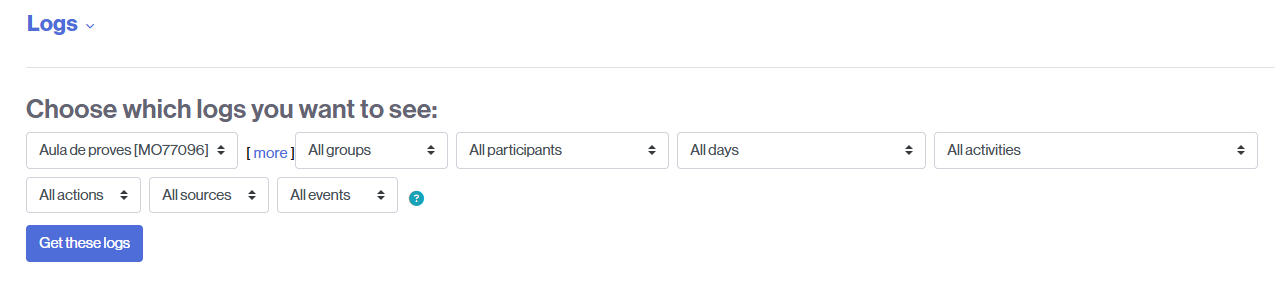
Set the search filter(s) you need and click the Get these logs button to view the results.