To hide the total classroom grade, which is displayed in the virtual classroom gradebook:
- Access the Grades section.
- Click on Grader report to display the rest of the options.
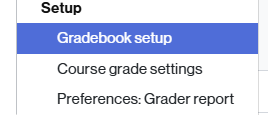
- Select the Gradebook setup option.
- At the bottom of the page, under Course total, click the three-dot icon that appears on the right, below the Actions column.
- From the options displayed, click Hide.

- To finish, click the Save changes button.
- The icon
 will appear, indicating that the total grade is not visible to the student.
Make the overall class grade visible again
To make the grades visible again, you will need to follow the same procedure. Now, instead of Hide, the Show option will appear.