To hide the gradebook from the virtual classroom:
- Access the Grades section.
- Click on Grader report to show the other options.
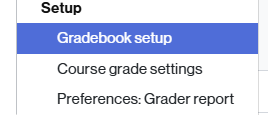
- Select the Gradebook setup option.
- Click the three-dot icon that appears in the main category row (classroom name), on the right, under the Actions column.
- From the options shown, click Hide.

- To finish, click the Save Changes button.

- You will see that each grade item in the table has the icon shown below (in the Status column):

Student View
This way, the student will be able to access the Grades section but will not see any results.

Make grades visible again
To make grades visible again, the same procedure must be followed. Now, instead of Hide, the Show option will appear.