From the classroom you can quickly configure a section (or topic). You will be able, among others:
- duplicate it,
- hide it,
- move it up or down the classroom,
- or delete it.
To change its name, you have two options:
OPTION 1. ACCESSING THE SECTION SETTINGS
- Turn edition on.
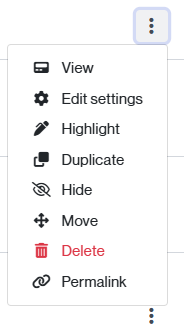
- Find the topic to modify and click on the three dots icon.
-
- If needed, you can also from here:
- Add a description (when you do this, it will automatically appear in the classroom, under the section title).
- Configure your access restrictions.
- If needed, you can also from here:
If you need to configure other aspects, do so from the Edit settings link.
NOTE. If you want to edit a subsection, the procedure is the same. In this case, simply find and click on the three-dot icon that appears to the right of the subsection.
OPTION 2. DIRECTLY FROM THE CLASSROOM
-
-
- Activate the edition of the classroom.
- Click on the button

-
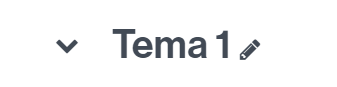
- Type the name and press “Return” to save the changes.