 They can only be deleted from the questionnaire database (online questionnaire or offline questionnaire).
To delete one or more questions from the classroom question bank:
- Access the classroom question bank.
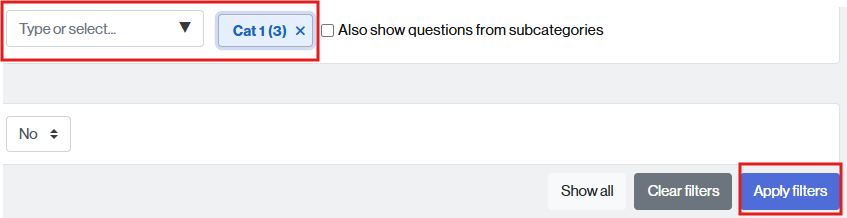
- Find the category where the question(s) to be deleted are located: click in the “Type” field or select and click on the category name.
- If desired, you can request that the list also include questions from subcategories by checking the box Also show questions from subcategories.
- Click the Apply filters button to display the questions contained in the selected category.
- Select the question(s) you wish to delete by checking the corresponding box (2). If you wish to delete all questions in this category, please check the box indicated by the number 1.
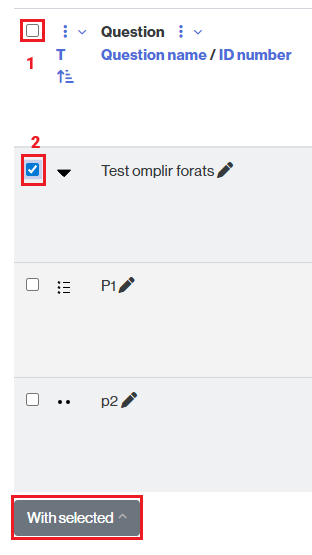
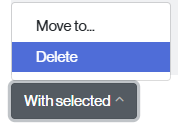
- Click the With selected button and choose the Delete option.
- Moodle will ask you to confirm the requested action. Click Delete to continue the process.