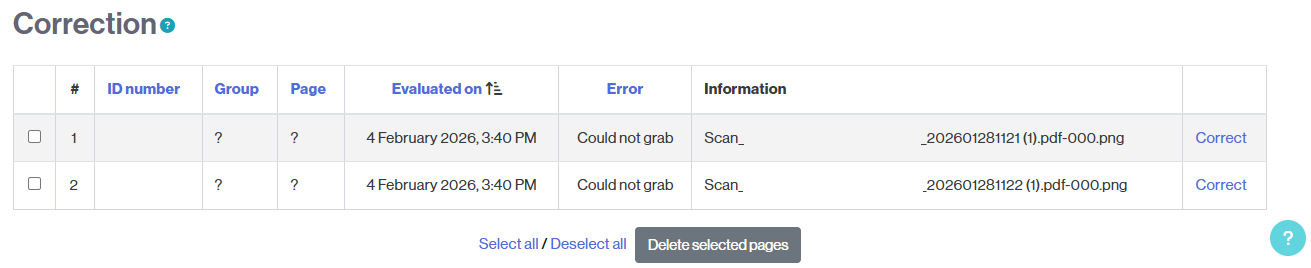
By accessing the Offline Quiz activity, in the 2. Evaluation section, you will find the uploaded exams.
You will see:
- How many have been successfully graded (Evaluated: n).
- How many could not be successfully graded and need review (Correction necessary: n).
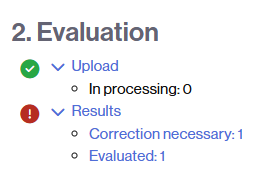
- Clicking on Evaluated: n will take you to the results.

- Clicking on Correction necessary: n will give you access to the list of exams that need review. For each case, the type of error will be indicated, and you will find a link (Correct) to fix the errors.